

Creating web app \"FireLinks\" with new Firebase : Part 1
So I am on to firebase. The time I thought to setup my journey towards firebase. This river thought to change its course. Its now googlified completly. For its journey from Fire...
So I am on to firebase. The time I thought to setup my journey towards firebase. This river thought to change its course. Its now googlified completly. For its journey from Firebase.com to Firebase.google.com. Please read relevant article “History” is out of scope this blog for most of times. ;)
Lets get started:
Create new project by clicking on create project as shown the below of something similar to that(as I believe web is keep changing)
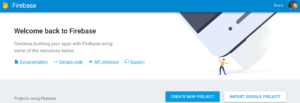
This would result to pop up a small box which is asking you to put the project name and such. please do needful there.
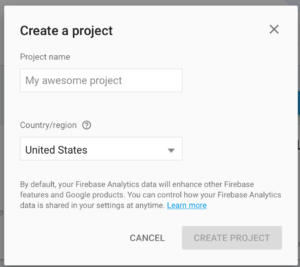
you will be taken to the project console page. This is the place that you will be most of the time when working on your project.
Now its time to create regular html page. I personally use Brackets. Its Open source awesome application from Adobe.
[html]
[/html]
Dont worry above code is pre-written for you by firebase. You should see screen like this (Subject to change) as there is no app connected to this project.
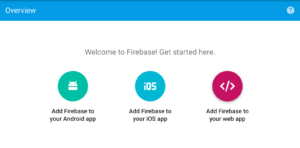
Click on the web app and new pop will show you all the stuff prefiled that you need. just copy it from there and paste to the header section of the html page that you are creating.
Alternative way to get this code is to click on Gear Icon on top left side and click on project setting.
Now put something in the body of index.html page so that you can see something. when its loaded. I have written FireLinks. my html content is below if you want to copy paste.
[html highlight=“4”]
Firelinks \[/html\]Now we have page if you run this and see console in Google Chrome. Which you can see by right clicking on the page and selecting “Inspect”.
You will see error msg that firebase is complaining your not being in auth domain. which mean no one else can manipulate your app from anywhere.
This bring us to set up Firebase Base tools to our Mac. Open terminal and run following command. if you get any error run it with sudo privileges.
[shell]
npm install -g firebase-tools
[/shell]
Upon completion you will see long list of items that have been installed like below:
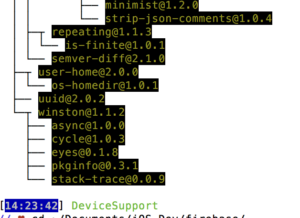
Now we are all set. Cd to the folder where you have saved index.html file.
Now run the following terminal command:
[shell] firebase login [/shell]
Yup you need to login as we are going to setup hosting for our index.html page so that we can actually run and manipulate the data as we need.
This authentication will open a browser window and would ask you to login with your Gmail. Which is the same email that you signed up firebase with.
once you done you should success message with bunch of gibberish but important for security so they are masked (security must be practiced so that its your second nature)
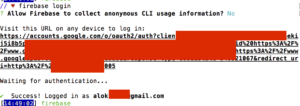
Now its time to FireUp the Firebase :
[shell]firebase init [/shell]
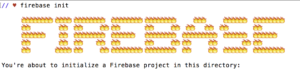
Fire Fire everywhere
Now Firebase would asking some general question to setup the project for hosting as well as databse point of view
[Always Remember these questions can be changed as Firebase evolve but this should give you good idea. please do contact me if you think this post is irrelevant in time, so that I can update it]
[shell]
? What Firebase CLI features do you want to setup for this folder? (Press space to select) ❯◉ Database: Deploy Firebase Realtime Database Rules ◉ Hosting: Configure and deploy Firebase Hosting sites
[/shell]
[shell]
Firebase Realtime Database Rules allow you to define how your data should be structured and when your data can be read from and written to. You can keep these rules in your project directory and publish them with firebase deploy.
? What file should be used for Database Rules? (database.rules.json) [/shell]
Press enter unless you dont want to give default name for database rules.
[shell]
Your public directory is the folder (relative to your project directory) that will contain Hosting assets to uploaded with firebase deploy. If you have a build process for your assets, use your build’s output directory. ? What do you want to use as your public directory? (public) [press enter]
? Configure as a single-page app (rewrite all urls to /index.html)? (y/N) [press y]
[/shell]
Use your arrow key to select the project that you have already created in Firebase when following prompt come to the screen.
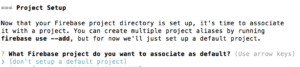
After you selected project. Success is yours with follwoing screen is proof [einky emoji]
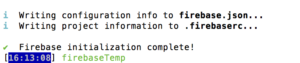
Congrats you have created and set up your project with new Firebase. In next part we would work on our app called FireLinks :)